 Blogcritics The critical lens on today's culture & entertainment
Music Creator 6 is the latest version of the entry level music creation software from Cakewalk. It turns your computer into a personal recording studio and gives you everything that you need to begin creating, editing and publishing music with professional quality. Once you have polished your tunes you can burn your own CD or publish it to SoundCloud and from there to Facebook or Twitter.
Based on some of the same technology that goes into Calkwalk’s high end professional editing software SONAR X1 it has a sound pedigree behind it. Since musical software does have certain needs for it to operate properly, you should examine the system requirements to confirm your system is ready to handle it.
To create music in Music Creator 6, you have what are called song construction kits – once you get comfortable with the building of songs, you can bypass these and work on your own. These give you the ability to create great sounding backing tracks through the use of over 1000 professionally recorded guitars, keyboards, drums, and more.
There are dozens of templates that include rock, hip-hop, orchestral, and more that will get you started. Once you find the musical loops that you want to use, you just drag and drop them into your project. You then arrange them in an order that you want, press play, listen, make adjustments, add more instruments, and repeat until your song is complete.
Do you play an instrument like keyboard or guitar? Perhaps you sing? You can use Music Creator to record vocals or any other instrument that can be recorded using a sound card, USB microphone, or Firewire audio interface. You can also record and edit MIDI using the Piano Roll View.
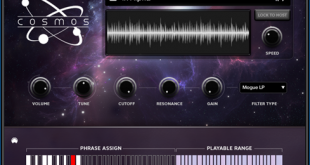
Music Creator 6 also comes with several virtual instruments such as the Cakewalk Sound Center that lets you access 150 different instruments such as guitars, basses, pianos, synths, ethnic sounds, and more. There are studio drums that are recorded with pre-recorded drum patterns that include Rock, Pop, Hip-Hop, Jazz, and more. It also comes with a Roland TTS-1 Synth that comes with a huge assortment of sounds, as well as the ability to purchase additional Cakewalk Studio Instruments like the Virtual Bass Guitar, Virtual Strings, and Virtual Electric Piano.
You also have serious effects that come with Music Creator 6 such as the AmpliTube 3 CS that provides an epic guitar amp tone. Music Creator FX which comes with studio-quality effects that can be used on any track or bus (group of tracks) simultaneously.
You can mix your music in Music Creator 6 using professional effects and production tools. Using the Console View, you get a real hardware mixing look through the use of volume controls, panning, EQ, effects and more. Music Creator’s Console view emulates the hardware-style mixing consoles used in professional studios. Use your mouse to instantly get the perfect mix – no matter how many tracks you are working with in your project.
You can sculpt your sound using a built-in graphical EQ and an effects bin so that you can fill each track with whatever it needs to make it come to life. The EQ allows you to shape the tone of a particular instrument so that it fits with the rest of the sounds. Each effects bin can hold multiple processors so you can add additional space to vocals with reverb, add punch and fatness to drums with compression, or add character to instrument sounds with delay, modulation, and more.
Through the Matrix View you can Remix and make music in new and innovative ways. Simply drag a musical loop or phrase to a cell in the Matrix and trigger it with a mouse-click or from your MIDI keyboard. Remix tracks and even jam live with this musical tool. The Matrix View is also great for auditioning various parts of your songs like verses, choruses, fill, as well as testing out new arrangements.
Music Creator 6 also has several ways to share your music. You can upload your to SoundCloud – a free online service for sharing music. You can share it in classic fashion by printing it as musical notation for live performances, or burn as audio CD’s for playing in the car or other places.
Cakewalk has partnered with Groove3.com, a leading online resource for musicians and recording engineers of all levels, to include over an hour of instructional videos in Music Creator 6. If you want to see how this process works, you can even watch the training videos right now.
I found Music Creator 6 really easy to use and fun to play with. It uses the same type of interface that its big brother SONAR X1 uses so if you decide that you want to move up to the professional level of DAW, then you will be familiar with its interface. If you want an inexpensive way to get into digital music creation then I recommend Music Creator 6.